sikret

Resolve secrets from URI-based references. One tool for macOS Keychain, 1Password, env vars, and files.

zero dependencies CLI + library Deno / TypeScript macOS & Linux
$ sikret resolve keychain:my-api-key
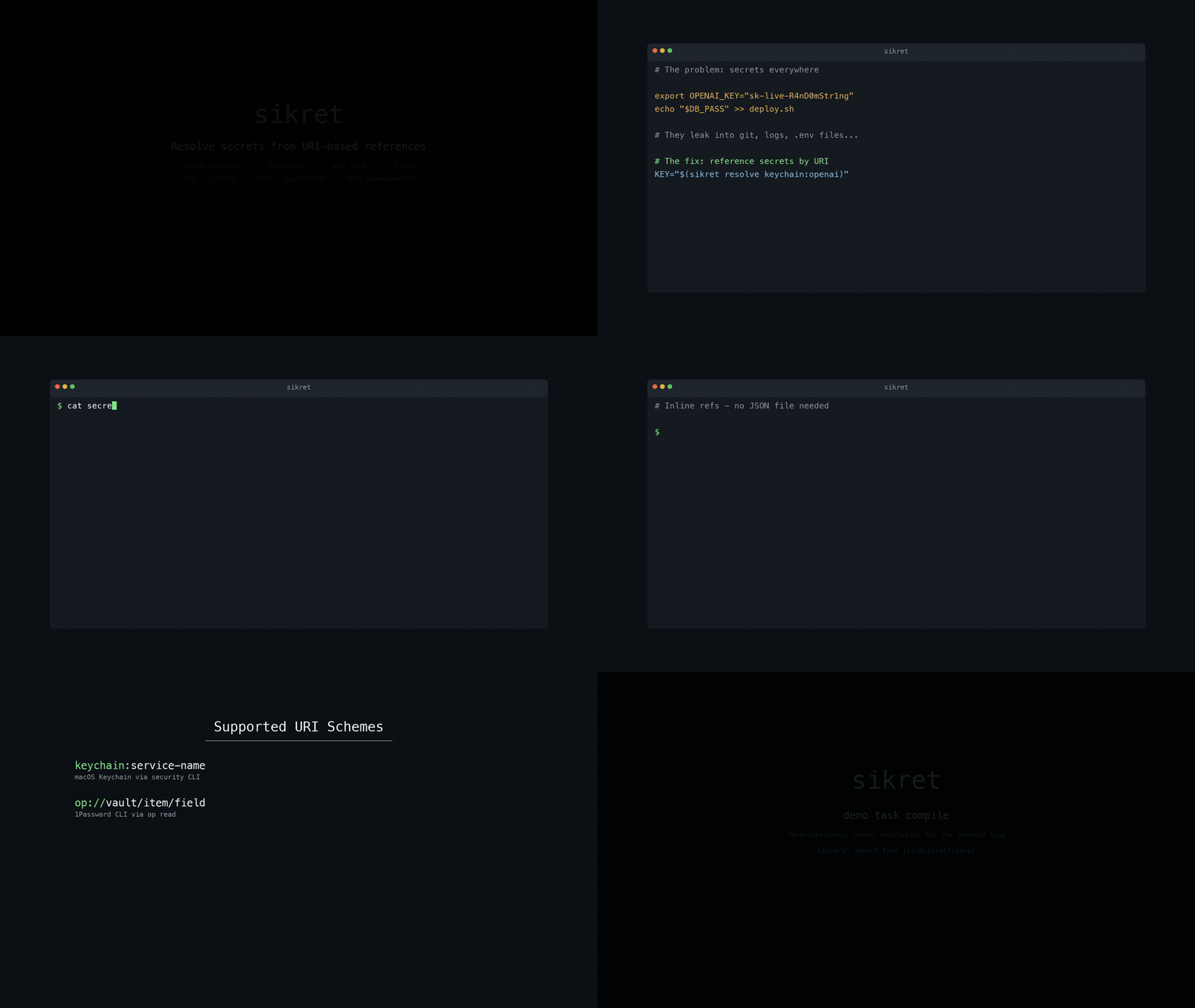
sikret demo showing CLI usage

The problem

Secrets leak into git history, shell logs, .env files, and deploy scripts. sikret replaces hardcoded values with URI references that resolve at runtime.

Before
# Secrets in plain text everywhere
export OPENAI_KEY="sk-live-R4nD0mStr1ng"
echo "$DB_PASS" >> deploy.sh

# They end up in git, logs, .bash_history...
After
# Reference secrets by URI
KEY="$(sikret resolve keychain:openai)"

# Or inject them into a process directly
sikret exec secrets.json -- ./my-app

# Nothing sensitive on disk or in history

Why sikret

A single binary that works with the secret stores you already use.

URI-based references

Secrets are addressed as URIs like keychain:name or op://vault/item/field. Config files store references, never values.

Pluggable backends

macOS Keychain, 1Password CLI, environment variables, and files out of the box. The registry pattern lets you add your own.

Process injection

sikret exec resolves secrets and injects them as environment variables into a child process. Secrets never touch disk or shell history.

Zero dependencies

Ships as a single static binary compiled with Deno. No runtime, no package manager, no node_modules.

Structured output

--json output for automation. Pipe into jq, feed to other tools, or parse programmatically. Errors are structured too.

Library API

Import from JSR for Deno and TypeScript projects. Explicit backend registration means your app only loads what it needs.
Usage

Three commands cover the most common workflows.

# Resolve a single secret to stdout
$ sikret resolve keychain:openai-api-key
sk-live-aBcDeFgHiJkLmNoPqRsT

# Resolve as structured JSON
$ sikret resolve --json env:HOME
{"ok": true, "value": "/Users/demo"}

# Read the URI from stdin (keeps refs out of argv)
$ printf 'op://Private/openai/api-key' | sikret resolve --stdin
# Run a child process with secrets from a JSON map file
$ sikret exec secrets.json -- ./my-app

# Inline a secret ref without creating a file
$ sikret exec --env OPENAI_API_KEY=op://Private/openai/api-key -- ./my-app

# Load the ref from an env var (nothing in argv)
$ OPENAI_API_KEY_REF='op://Private/openai/api-key' \
  sikret exec --ref-env OPENAI_API_KEY=OPENAI_API_KEY_REF -- ./my-app
# Export resolved secrets as JSON for other tools
$ sikret export --json secrets.json
{
  "OPENAI_API_KEY": "sk-live-aBcDeFgHiJkLmNoPqRsT",
  "DB_PASSWORD": "hunter2"
}

# Pipe into jq for a specific value
$ sikret export --json secrets.json | jq -r '.OPENAI_API_KEY'

# Export as shell variables
$ sikret export secrets.json
export OPENAI_API_KEY='sk-live-aBcDeFgHiJkLmNoPqRsT'
export DB_PASSWORD='hunter2'

Secrets file format

A JSON object mapping environment variable names to secret URIs.

secrets.json
{
  "OPENAI_API_KEY":    "keychain:openai-api-key",
  "ANTHROPIC_API_KEY": "op://Private/anthropic/api-key",
  "DEBUG":             "env:DEBUG",
  "CERT":              "file:/etc/ssl/private/cert.pem"
}

Supported backends

Four URI schemes ship out of the box. The registry is open for custom backends.

Scheme Format Backend
keychain keychain:<service-name> macOS Keychain via security CLI
op op://<vault>/<item>/<field> 1Password CLI via op read
env env:<VAR_NAME> Environment variable lookup
file file:<path> File contents (single trailing newline trimmed)

Library API

Import from JSR for Deno and TypeScript projects. Explicit backend registration keeps your dependency surface minimal.

app.ts
import { createOpBackend, createRegistry, resolve } from "jsr:@srdjan/sikret";

const registry = createRegistry([createOpBackend()]);
const result = await resolve("op://Private/openai/api-key", registry);

if (!result.ok) {
  throw new Error(result.error.tag);
}

console.log(result.value);

Install

Download a prebuilt binary for macOS or Linux, or build from source.

Download from GitHub Releases
# macOS (Apple Silicon)
$ curl -LO https://github.com/srdjans/sikret/releases/latest/download/sikret-aarch64-apple-darwin.tar.gz
$ tar xzf sikret-aarch64-apple-darwin.tar.gz
$ mv sikret /usr/local/bin/

# Or build from source
$ git clone https://github.com/srdjans/sikret && cd sikret
$ deno task compile
$ mv bin/sikret /usr/local/bin/

Deno is only needed for building from source. The compiled binary has zero runtime dependencies.